The extension runs on Vision Pro itself
SELFLEX uses the Safari web extension support introduced in visionOS 26.2. Time is not relayed from another device — it is measured in the window you are looking at, as it happens, on this device.
SELFLEX measures the time you spend in Safari directly on Apple Vision Pro. The extension runs here, the records stay here, and the dashboard opens without squeezing your numbers onto a small display.
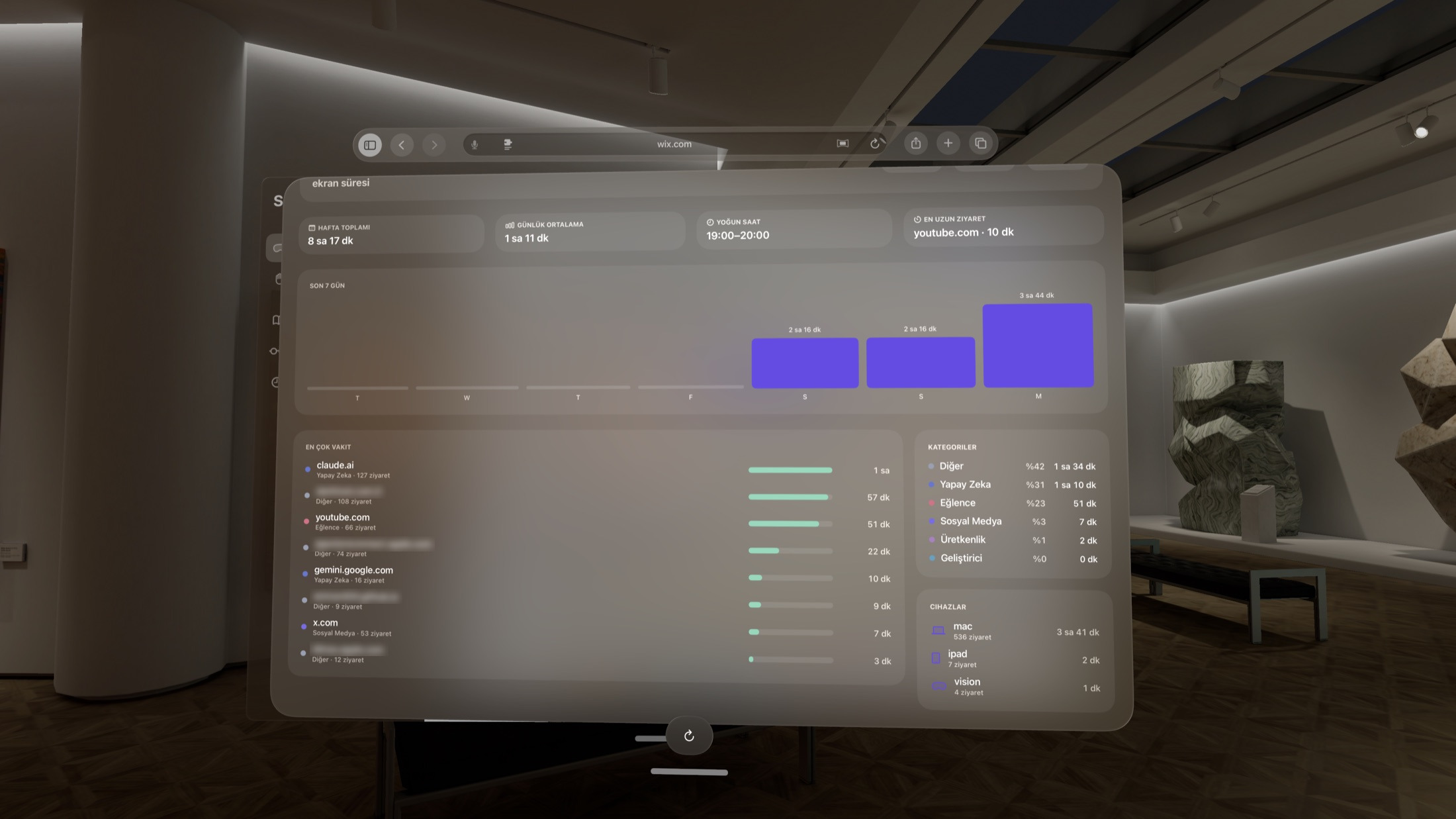
Earlier releases only displayed the summary arriving from other devices. Since 1.4.8 the extension runs on Vision Pro too, so the device produces its own data.
SELFLEX uses the Safari web extension support introduced in visionOS 26.2. Time is not relayed from another device — it is measured in the window you are looking at, as it happens, on this device.
Weekly rhythm, most-visited sites and the category breakdown are visible at once. Sections that stack up on small screens read in a single glance here.
With SELFLEX Sync on, time spent on Vision Pro joins the records from your other devices in the same dashboard. Nothing is counted twice; merging happens per record identity.
The extension is not enabled automatically after install — that is not an omission but how Safari's permission model works. The decision stays with you.
One purchase covers every platform. If you already have SELFLEX on iPhone, iPad or Mac, Vision Pro costs you nothing extra.
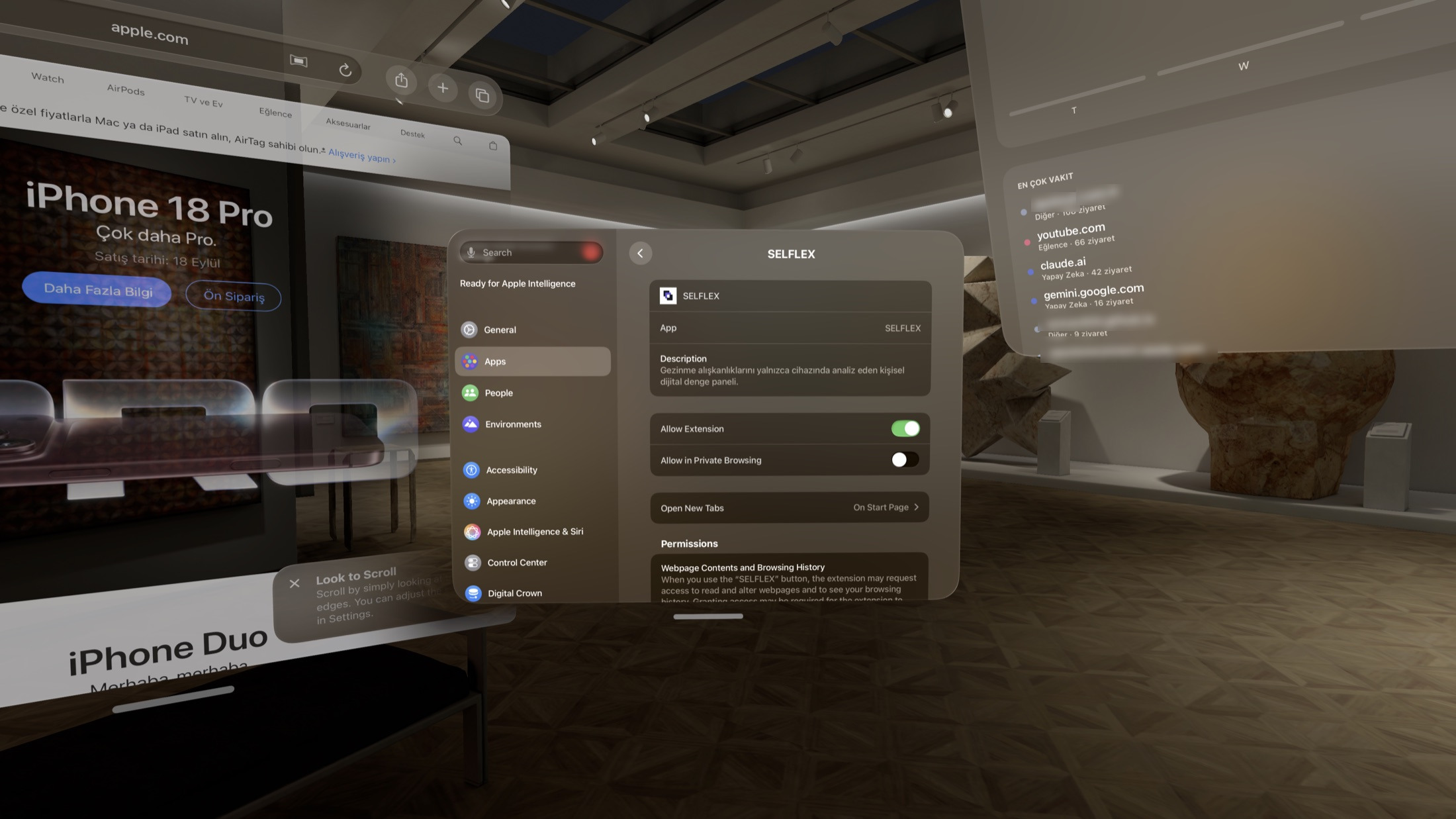
Go to Settings → Apps → Safari → Extensions and turn on “Allow Extension” for SELFLEX. The permission sheet lists exactly what the extension can read.
Only the visible, active window is measured. The dashboard starts filling after your first visit — there is no further setup.
Verifiable statements instead of long explanations. The details live in the Transparency Center and the SELFLEX Sync statement.
visionOS 26.2 or later. This is the release that brought Safari web extension support to visionOS.
Visit records stay on the device, in storage reserved for the extension. The app and the extension read through the same App Group.
None. There is no SELFLEX account and no sign-up. Your own Apple Account only comes into play if you want records merged across devices.
Optional. With SELFLEX Sync off, nothing leaves the device; with it on, data is written to an encrypted field in your own iCloud account.
Free. No ads, no analytics server, no in-app purchases.
An empty summary on first launch means the extension is not enabled yet: open Settings → Apps → Safari → Extensions and turn on SELFLEX. Alternatively, enabling “Visit records” sync on your iPhone, iPad or Mac brings their summary in even if you have never browsed on Vision Pro.
SELFLEX has no server, no user database and no analytics stack. Time measured on Vision Pro follows the same rule.